How to order From Mobile
How to checkout?
- Provide all the necessary information
- Choose delivery date/schedule
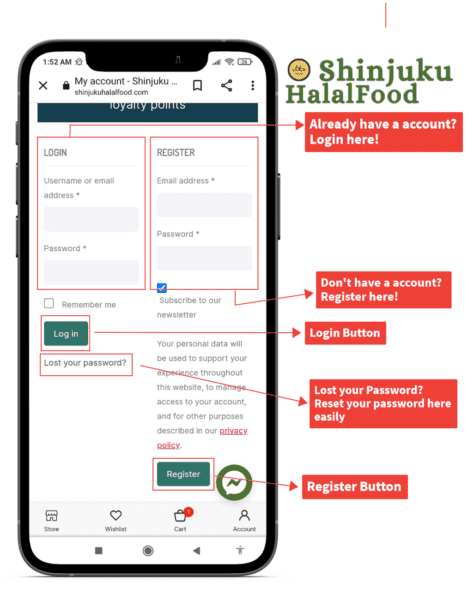
- Create password for new customer/ Log in for existing customers
- Choose payment method
- Agree to Terms & Condition
- Place Order


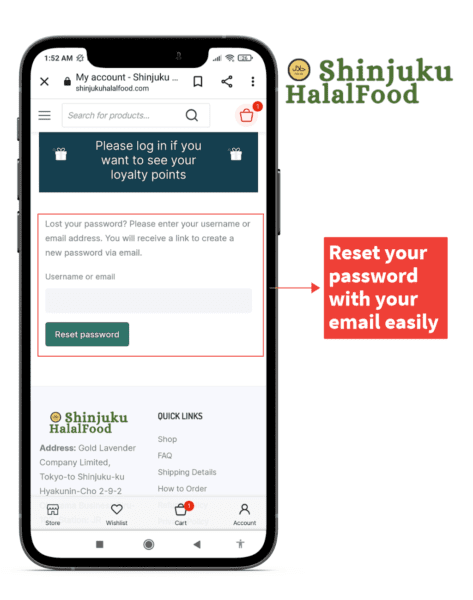
Forgot password / Reset password?
If you forgot the password you can reset it.
—> Reset Here
How to apply coupon/Use Points?
You can apply your code on the checkout page or use points.

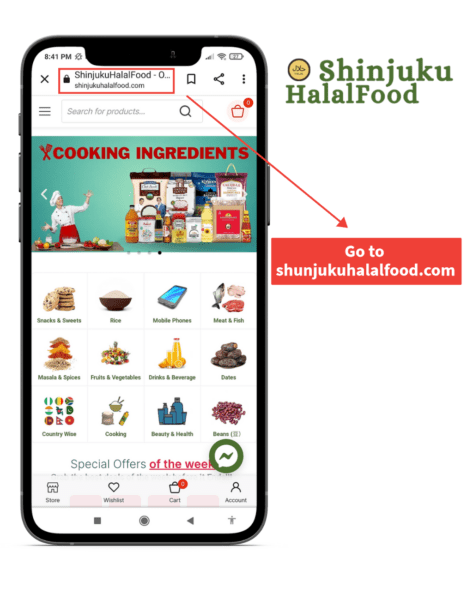
Where to order?
You can shop in our website. Our website address is -> www.iwakihalalmart.com
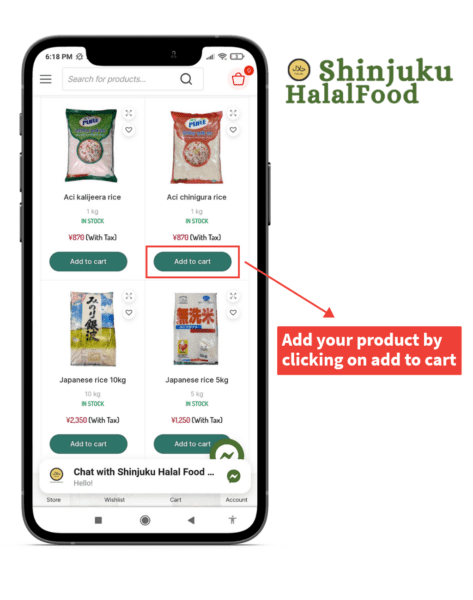
How to add the product to the Cart/Bag?
- Select your desired product and click on Add to cart button.

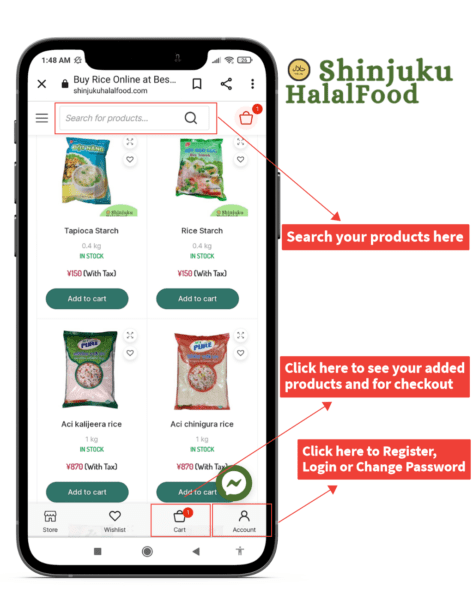
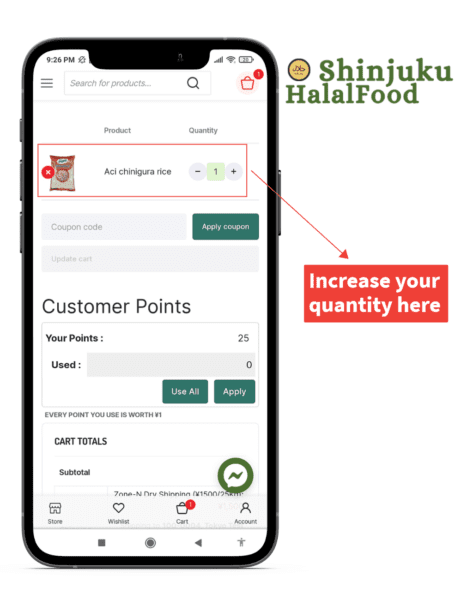
How to review cart/bag?
Click on the cart/bag icon and go to the cart page.
Add/Remove product or increase/decrease quantity from cart page.
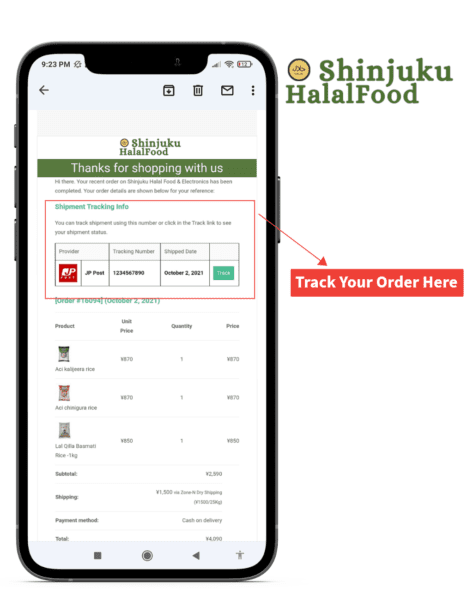
Track Package/Shipment?
You can track your package after the item has been shipped. The tracking number and URL will be emailed to the customer.
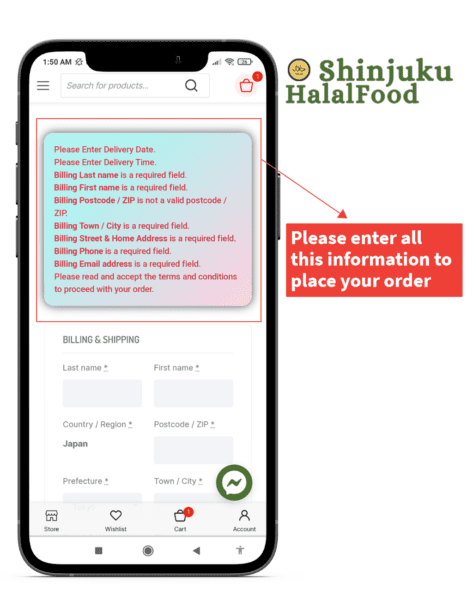
Checkout page errors/Can’t order?
If any information is missing or incorrect the error message will be highlighted in red.
How to Login/Sign Up?
- If you already are a customer you need to log in before placing an order.
- A new account will be created for every customer with a successful order. The password will be emailed to the customer
- You can log in at the account page -> Account